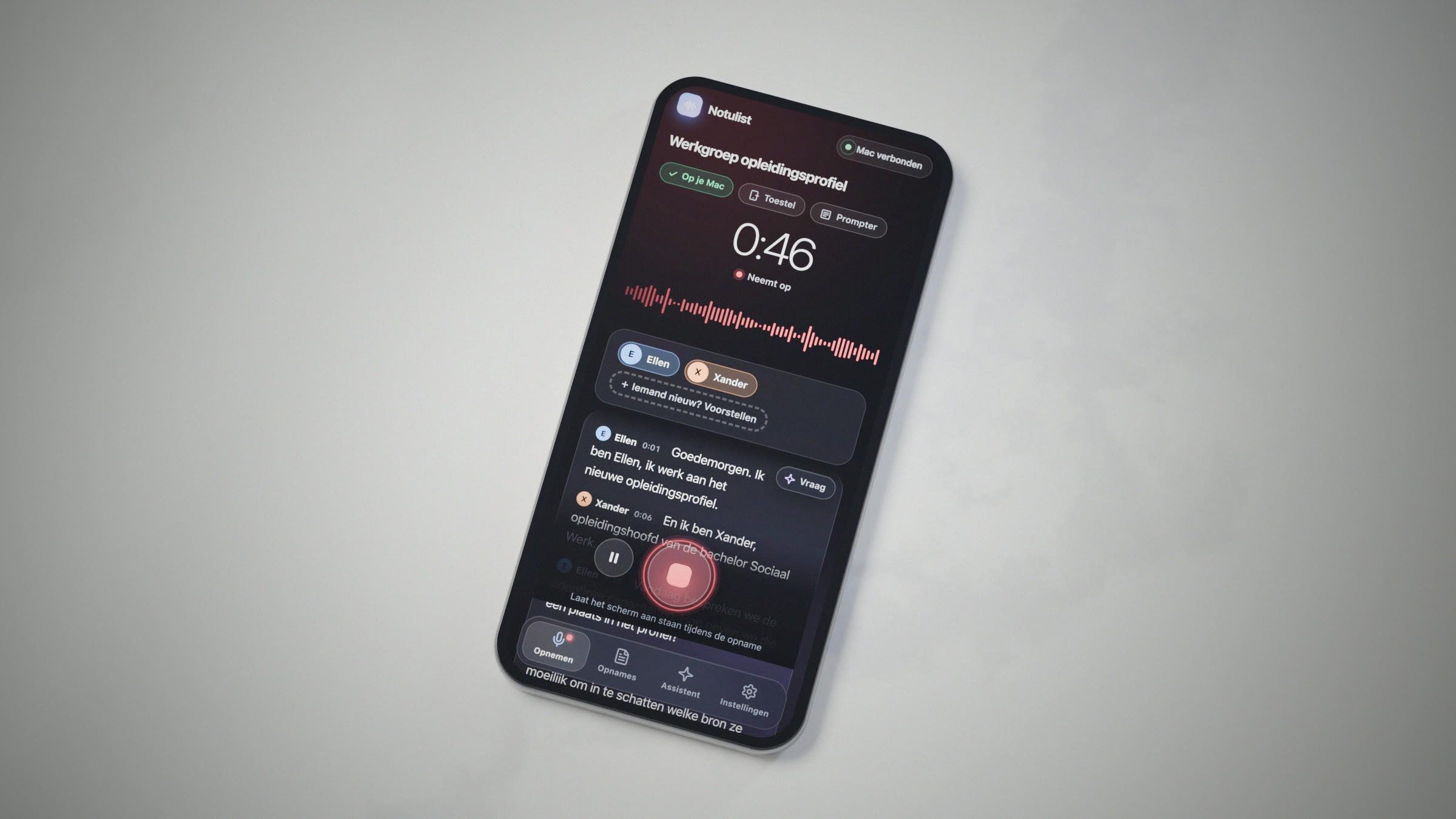
All screenshots below use fictional meetings and people. Ellen, Xander, Rita and their colleagues exist only on my laptop.
The question that started it
A short while ago, a colleague asked me about recording tools. Should we get a Plaud or one of its many cousins? A small device or app that records a meeting, works out who said what, and hands you neat notes afterwards. They are good products, and for many teams buying one may well be the sensible choice.
Still, I kept wondering how much of this you can do yourself today, entirely locally, with no subscription, no external servers and no audio leaving your own devices. In higher education, where meetings involve students, staff and sometimes sensitive matters, that last part matters a great deal.
To be clear: this is no plea for everyone to keep their recordings on their own devices. Local storage comes with its own risks, and an institution’s agreements on where meeting data lives, who can access it and how long it is kept matter more than any single tool. This was an experiment, to see what the technology can do today, and how AI can create such solutions in a jiffy.
So I tried. With Claude Code as my developer, I built my very own and personal Notulist over three short evenings.
What it does
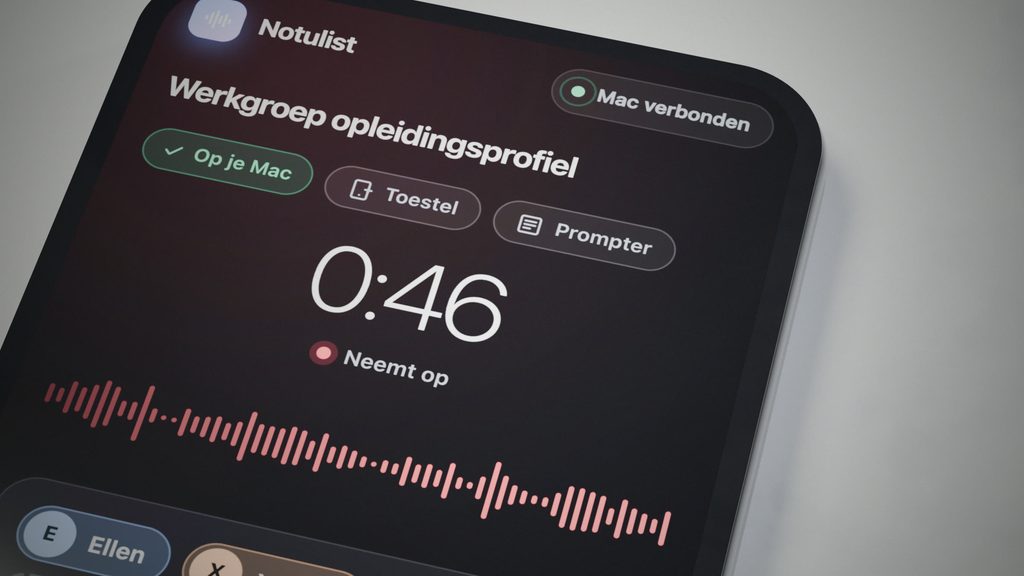
I record on my phone (or laptop, it doesn’t matter). The audio travels over my own private network to my Macbook at home, and the laptop does all the work: speech recognition with FluidVoice (which also brings most packaged models and some early infrastructure), speaker recognition, and notes written by a local language model via Ollama.
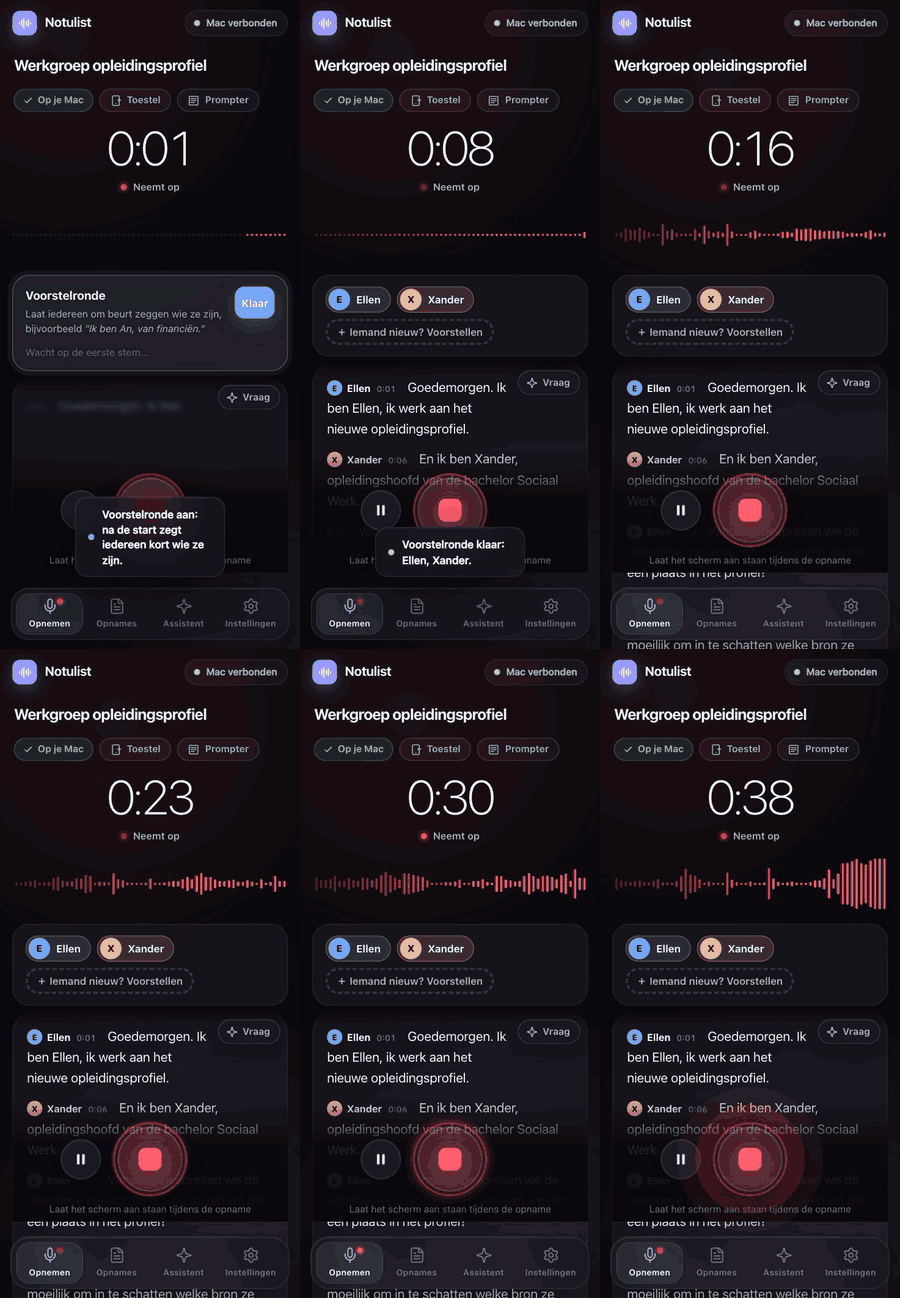
In short, Notulist can:
- Show live captions while you record, with names after a quick round of introductions (“I’m Ellen…”).
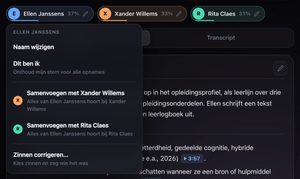
- Work out who said what, and remember your own voice for every future recording.
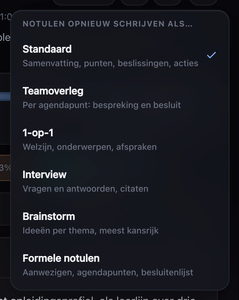
- Write the notes in the style of the meeting: standard, team meeting, one-to-one, interview, brainstorm or formal minutes. Every point has a timestamp you can click to hear that moment.
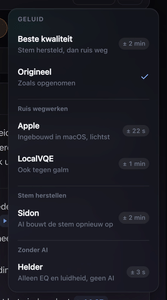
- Record with several devices at once. A second phone joins by scanning a QR code; afterwards the Mac lines up the recordings and, moment by moment, uses the microphone that hears the speaker best, with even volume for everyone.
- Continue a recording later, with new speakers recognised and your earlier corrections kept.
- Restore poor audio on request, with recent AI models that run on the Mac.
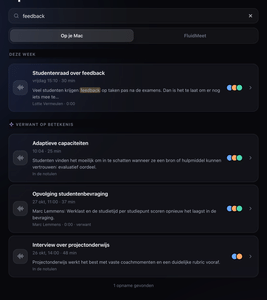
- Search on meaning, so “feedback” also finds the meeting about the student survey.
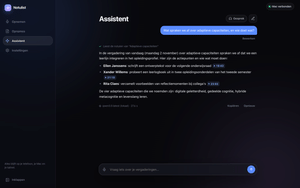
- Answer questions across all your meetings through an assistant, typed or spoken.
- Bring in online meetings recorded on the Mac (Teams, Zoom) as full recordings.
- Suggest the right meeting from your calendar, and give each recording a short title and a one-line summary.
- Keep working offline on the phone: recordings wait safely until the Mac can be reached.
- Help you present, with a teleprompter that follows your voice (more on that below).
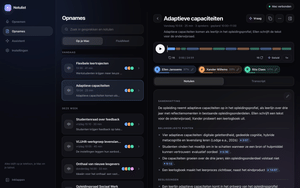
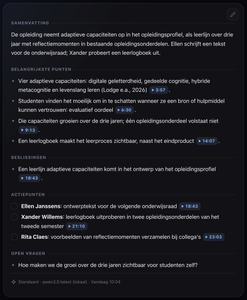
Mistakes happen, so correcting them is quick: rename a speaker, merge two speakers who turned out to be the same person, or mark yourself once for all future recordings.
Eight minutes for a teleprompter
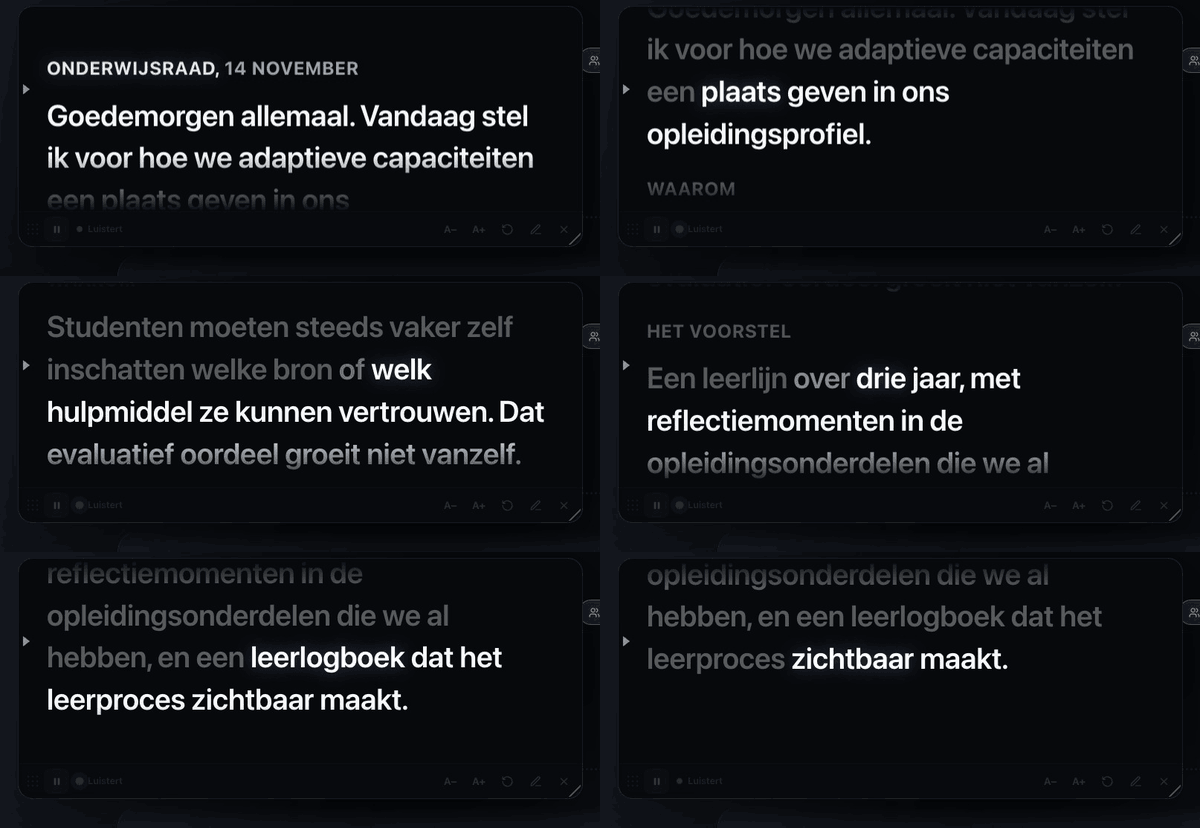
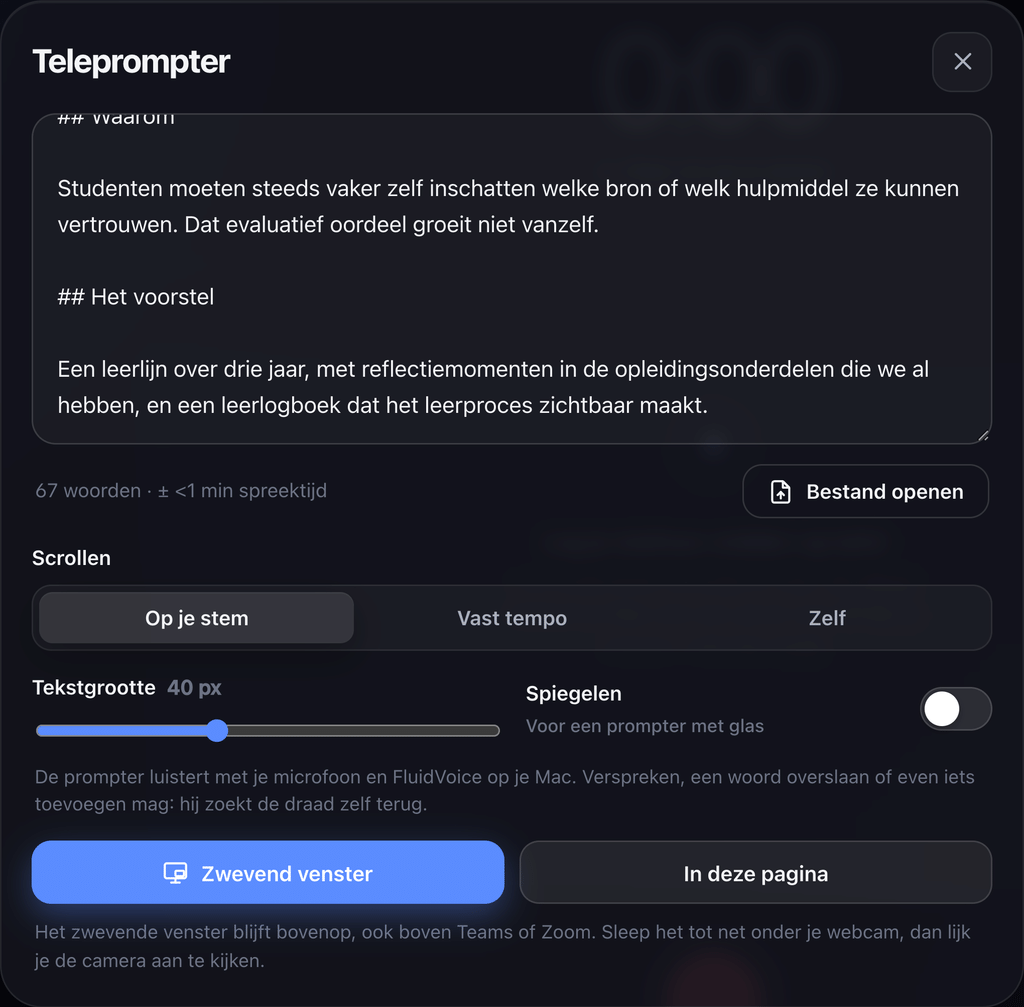
The moment that surprised me most came at the end. I wanted a teleprompter: paste a text, and let it scroll along while I speak, close to my webcam.
I asked for it at 18:45. At 18:53 I had a first version that worked. The text follows my voice, and it copes with how people actually talk: a slip of the tongue, a skipped word, a quick aside, or going back a sentence. You can edit the text in the prompter itself, and it can float above Teams or Zoom, right under the camera. Some polishing came after, but the core took eight minutes. From months, to days, to minutes.
Why this matters beyond one tool
Marc Watkins recently wrote about keeping up with AI when the classroom is the frontier. He describes how people who use AI daily and those who barely use it now live in different realities about what it can do, and how that gap fuels confusion and disagreement in education. I recognise that. Someone who tried a free chatbot last year will find this post hard to believe; someone working close to the frontier will find it unremarkable.
This gap has profound practical consequences for us. Procurement, pedagogy, and our daily workflows shift dramatically once you realize what a single person can now do. We can no longer afford to anchor ourselves to the tools of three years ago, or even last year. Instead, we must follow the broader trends and understand them deeply to truly grasp the speed of this frontier. But wrapping our heads around this velocity is precisely what allows us to regain control. By accepting the pace of the curve, we stop clinging to outdated systems and get better at building lasting adaptive capabilities. It is that new base layer, the clarity we need to ensure that we, our institutions, and our students are making informed, confident choices.
Some honest notes
- Notulist is a personal tool. It needs a Mac (my Mac even) at home, or would need to be rebuilt for other computers, some setup, and someone willing to fix things when an update breaks them.
- Local models are good, and slower than the large cloud models. Notes for an hour-long meeting take a few minutes.
- Buying a tool still buys support, polish and someone else’s responsibility. For a team, that might still be the right call (for now).
What I wanted to know was what’s possible. The answer: more than I expected, faster than I expected, and entirely on my own devices.
Where this note connects
Start a reading path from here Open in the knowledge graphLinked notes
- Building my sixth tool for qualitative analysis with Generative AI Where building custom qualitative tools previously required dedicated crafting, agentic coding accelerates working prototypes from days down to mere minutes.
- How I built a private AI to conquer my reading list Moving from text workflows to spoken dialogue, this experiment demonstrates how fully local AI can capture and synthesise sensitive conversations without cloud dependency.
- When Should Your Local AI Ask a Bigger One for Help? This build tests local-first processing in practice, exploring the operational boundaries and trade-offs of running transcription and language models on personal hardware.
Threads ideas this note shares with others · pick one
Theme · also in Data Ownership and Privacy See this thread in the graph →
- AI Without the Handover: Managing Research with Model Context Protocol
- How I actually used GenAI in 2025
- When Should Your Local AI Ask a Bigger One for Help?
- How I built a private AI to conquer my reading list
- Building my sixth tool for qualitative analysis with Generative AI
- The Tutor That Waits to Be Asked
Methodology · also in Building Your Own Tools See this thread in the graph →
Methodology · also in Local and Private LLMs See this thread in the graph →
- Building my sixth tool for qualitative analysis with Generative AI
- How I built a private AI to conquer my reading list
- How I actually used GenAI in 2025
- When Should Your Local AI Ask a Bigger One for Help?
- AI Without the Handover: Managing Research with Model Context Protocol
- What Happens When AI Starts to Remember?